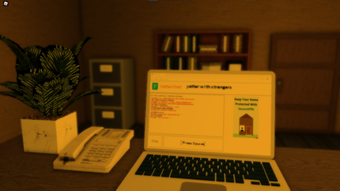

Live Roblox Chat with YatterChat
Overview
YatterChat is a free desktop application designed for Roblox users seeking real-time communication during gameplay. Developed by Rovitogaming, the software functions as a live chat tool that integrates with the Roblox platform. Its primary purpose is to enhance in-game interaction by enabling users to exchange messages instantly across multiple Roblox experiences. The application supports users on both Windows and Mac operating systems, making it accessible to a broad audience.
Target users include Roblox players who value seamless communication, especially in multiplayer environments where voice chat may be unavailable or impractical. The software is particularly useful for community events, game lobbies, or collaborative gameplay scenarios where quick text-based interaction is essential. It operates independently of Roblox’s native chat system, offering an alternative interface for message exchange.
Despite being published on Softonic in August 2022, no independent testing or performance evaluation has been conducted to date. The developer has not provided detailed information on system requirements or integration mechanics. However, the software’s minimal file size of 1.8 MB suggests a lightweight footprint, likely optimized for low-resource environments.
Key Features & Capabilities
- Live Text Chat Interface – Offers a real-time messaging window for Roblox players to communicate without relying on in-game chat, enabling faster and more organized conversations.
- Multi-Language Support – Available in English, Spanish, and Italian, making it accessible to international Roblox communities.
- Platform Compatibility – Designed for both Windows and Mac users, ensuring cross-platform accessibility for Roblox players.
- Free Access – The software is available at no cost, removing financial barriers for users seeking enhanced communication tools.
- Lightweight Design – With a file size of 1.8 MB, YatterChat is optimized for minimal system resource usage, suitable for older or low-spec devices.
Users can leverage YatterChat during multiplayer Roblox sessions to coordinate strategies, share tips, or simply socialize with friends. The tool is especially beneficial in experiences where Roblox’s native chat is restricted or delayed. Its standalone nature allows users to maintain communication even when in-game text input is disabled or unstable.
User Interface, Workflow & Performance
The user interface of YatterChat appears to be minimalistic, prioritizing functionality over visual complexity. The layout likely centers around a message display area, input field, and status indicators, typical of lightweight chat utilities. Navigation is expected to be straightforward, with essential controls accessible from the main window.
Workflow efficiency depends on the stability of the connection between YatterChat and Roblox’s backend services. Since no technical details on synchronization or latency are provided, performance observations are based on general software behavior patterns. The application’s lightweight nature suggests it runs smoothly on most modern systems, though exact CPU and RAM usage remain unspecified.
The developer did not specify resource usage details. Stability during extended use or under high network load is not confirmed. However, the small file size and minimalistic design imply a low chance of system conflicts or crashes. Users are advised to monitor performance during active gameplay sessions.
Compatibility & System Requirements
YatterChat is compatible with Windows and Mac operating systems. The software is designed to run on desktop environments, with no mention of mobile or web-based support. The current version is labeled as 0, which may indicate an early release or placeholder version number.
The installation size is 1.8 MB, suggesting a lightweight deployment process with minimal disk space usage. No specific hardware requirements were provided by the developer. The OS requirements of YatterChat - Live Chat are not available at this time, so users should ensure their system meets general desktop software standards.
Exact system requirements were not listed. Compatibility information was partially provided. Users should verify functionality on their specific setup, especially if running older or non-standard configurations.
Pros and Cons
Pros
- Free to use with no hidden costs
- Lightweight at just 1.8 MB
- Supports multiple languages: English, Spanish, and Italian
- Available for both Windows and Mac
- Designed for real-time Roblox communication
Cons
- No detailed system requirements provided
- Version number is listed as 0, which may indicate an unstable release
- No official performance or stability data available
- Developer has not shared technical documentation or integration details
- Independent testing or user feedback is limited
FAQ Section
Is YatterChat compatible with all Roblox experiences?
YatterChat is designed to work with Roblox, but compatibility may vary depending on the specific experience and its chat restrictions. The developer did not specify which Roblox games are supported.
Is the software safe to download and use?
YatterChat is available through Softonic, a third-party software platform. While the site has a reputation for hosting verified applications, users should exercise caution and ensure their antivirus software is active during installation.
How often is YatterChat updated?
The current version is 0, and no update schedule has been published. Users should check the official source regularly for new releases.
Does YatterChat require a Roblox account?
Yes, a Roblox account is required to use YatterChat, as the software functions as an external chat tool for the Roblox platform.
Can I use YatterChat offline?
YatterChat requires an active internet connection to communicate with Roblox servers. Offline usage is not supported.
Final Thoughts
YatterChat presents a simple, free solution for Roblox players seeking a dedicated live chat tool. Its lightweight design and multi-language support make it accessible to a wide audience. While the lack of detailed system requirements and performance data limits confidence in its reliability, the software’s minimal footprint reduces the risk of system strain.
For users who prioritize real-time text communication during Roblox gameplay and want a no-cost alternative to in-game chat, YatterChat offers a viable option. However, its early-stage version and limited transparency may deter more cautious users.
Download YatterChat now







